
Utimaco uTrust
The uTrust HSM is the next generation Utimaco HSMs after the CryptoServer. From PKCS#11 perspective it works similar to the CryptoSevrer and is supported. There is a firmware that support PQC algorithms available called Quantum Protect. It is available both as a simulator and to the real HSM. This includes post-quantum algorithms ML-DSA and LMS (since EJBCA 9.4).

The integration with PQC algorithms uses PKCS#11 vendor defined mechanisms and is only supported with PKCS#11.
Installation and Configuration
Follow the uTrust installation instructions. If running the simulator you need to initialize a slot, for example:
./p11tool2 slot=1 Login=ADMIN,/etc/utimaco/ADMIN_SIM.key InitToken=xsmP44uygSxAvSdrZBeV
./p11tool2 slot=1 LoginSO=xsmP44uygSxAvSdrZBeV SetPIN=xsmP44uygSxAvSdrZBeV,foo123qwe
./p11tool2 slot=1 LoginSO=foo123qwe InitPIN=f00123qw
./p11tool2 slot=1 LoginUser=f00123qw SetPIN=f00123qw,foo123qwe
Using the HSM
Using the HSM is easy, you can use the p11ng-cli, or the Admin UI. Some sample P11NG CLI commands:
./p11ng-cli.sh showinfo --lib-file /etc/utimaco/libcs_pkcs11_R3.so
./p11ng-cli.sh listslots --lib-file /etc/utimaco/libcs_pkcs11_R3.so
./p11ng-cli.sh showtokeninfo --lib-file /etc/utimaco/libcs_pkcs11_R3.so --slot 1
./p11ng-cli.sh listobjects --lib-file /etc/utimaco/libcs_pkcs11_R3.so --slot-ref SLOT_NUMBER --slot 1 --password foo123qwe
./p11ng-cli.sh generatekeypair --lib-file /etc/utimaco/libcs_pkcs11_R3.so --slot-ref SLOT_NUMBER --slot 1 --alias mldsa44 --key-spec ML-DSA-44 --password foo123qwe
./p11ng-cli.sh generatekeypair --lib-file /etc/utimaco/libcs_pkcs11_R3.so --slot-ref SLOT_NUMBER --slot 1 --alias rsa2048 --key-spec RSA2048
./p11ng-cli.sh generatekeypair --lib-file /etc/utimaco/libcs_pkcs11_R3.so --slot-ref SLOT_NUMBER --slot 1 --alias ecp256 --key-spec P-256
./p11ng-cli.sh listkeypairs --lib-file /etc/utimaco/libcs_pkcs11_R3.so --slot-ref SLOT_NUMBER --slot 1
./p11ng-cli.sh signperformancetest --lib-file /etc/utimaco/libcs_pkcs11_R3.so --slot 1 --alias mldsa44 --signature-algorithm ML-DSA-44 --time-limit 5000
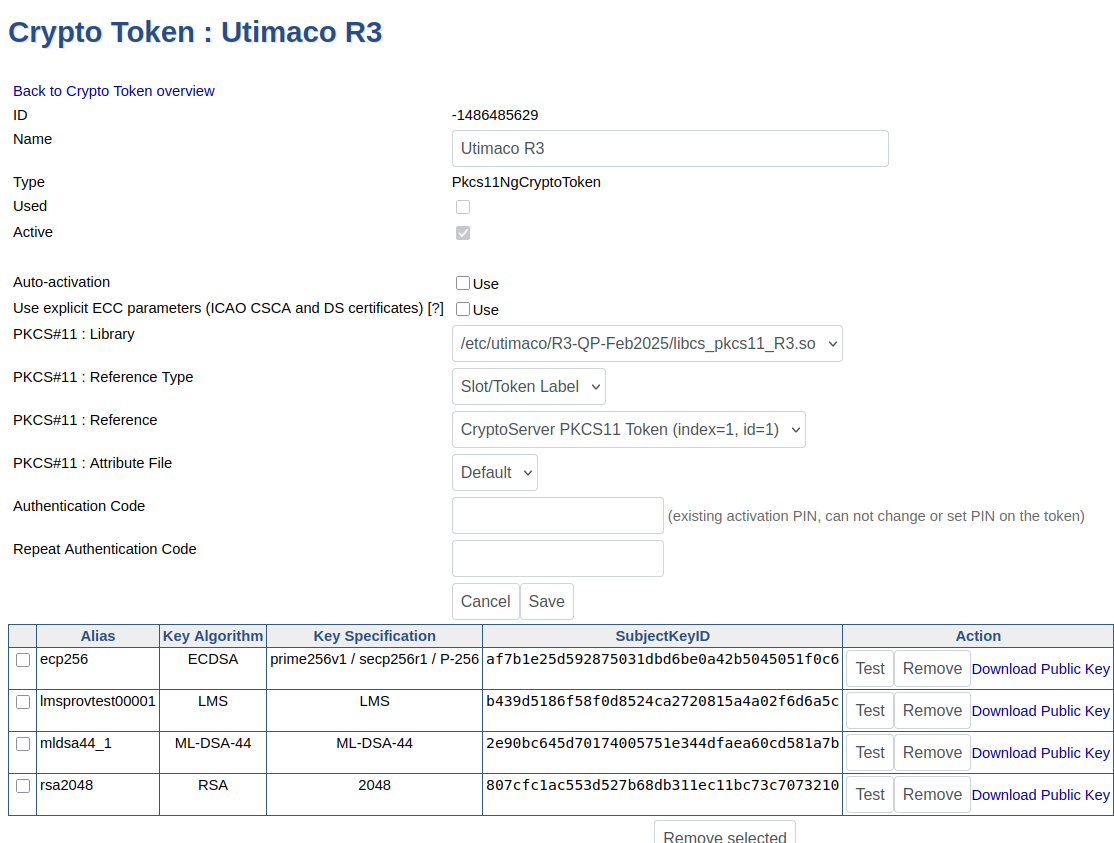
In the Admin UI it looks like this, if the PKCS#11 driver is installed i one of the default locations in EJBCA.
For more information about crypto tokens, used for storing cryptographic keys in EJBCA, see Crypto Tokens Overview.